
Why Website Migration Loses SEO and How to Recover
Discover the key reasons website migrations cause SEO drops, including identity, relevance, access, and interpretation breaks, and learn how to fix them effectively.


You launch the redesigned site on Monday, then check search results before your first coffee. Your homepage looks sharper, your checkout works, and your local service pages seem ready, yet calls slow down or reliable product pages vanish from Google. If you're wondering why website migration loses SEO, the answer may be hiding in a broken connection between the old page and its replacement.
Most migrations don't have a design problem. They have a signal-transfer problem. Your new site may lose URL identity, relevance, crawl access, redirects, content, or canonical signals that search engines relied on before. Traffic can fall even when customers find the new design easier to use.
This guide connects each visible symptom to its likely cause, prevention step, and recovery action, so you can diagnose the missing signal instead of following a generic checklist. ShieldThemes can connect development, technical SEO, hosting, and ongoing maintenance for your recovery while the evidence is still fresh and the lost visibility remains recoverable.
A Migration Can Turn Months of Search Equity Into an Access Problem
You can launch a faster store, cleaner service site, or sharper startup website and still lose qualified visitors overnight. Lower impressions can mean fewer inquiries, weaker branded discovery, abandoned purchase journeys, and less confidence in your next sales forecast.
Search engines may need time to recrawl changed URLs and process new signals. An early fluctuation isn't automatically a disaster, but a persistent defect isn't something you should wait out. Use this website migration SEO checklist to catch common problems before launch.
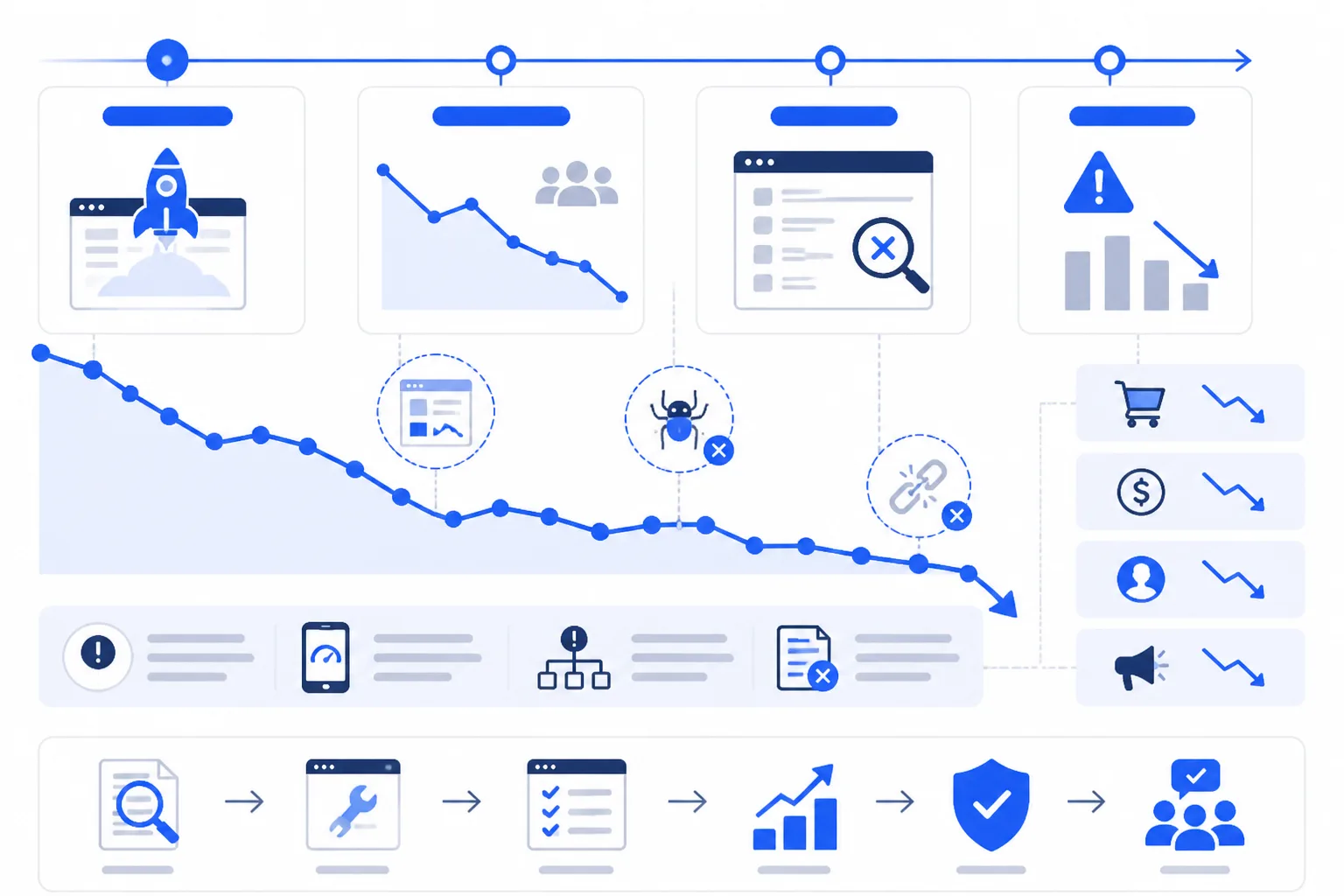
What ranking loss looks like to a startup or online store
You may see fewer calls from local service pages, fewer demo requests from high-intent landing pages, or fewer completed orders from category and product pages. De-indexed URLs and weaker search visibility also make your brand harder to find when customers search by name.
“A migration does not merely move pages; it moves the signals that made those pages discoverable.”
The 90-day monitoring rule after launch
Compare rankings, impressions, qualified organic traffic, leads, and sales against your pre-launch benchmark at 30, 60, and 90 days. These are decision gates, not arbitrary reporting dates. The first weeks deserve especially close monitoring because production issues may appear only after launch.
Practical rule: Treat early volatility as processing time only when your important URLs remain accessible, indexable, content-complete, and correctly canonicalized.
When a visibility drop signals a technical failure
You need repair rather than patience when important pages return persistent 404 errors, carry a noindex directive, lose their core content, or declare the wrong canonical URL. Several failures across access, content, and canonical signals point to a structural problem, especially when traffic continues falling through the 60-day review.
If your migration has failures across several signal classes, ShieldThemes can coordinate development, technical SEO, hosting, and recovery in one accountable workflow. Its senior team is one option among specialist agencies and internal hires, though a larger engagement may cost more than fixing one isolated template error.
Four Signal Breaks Explain Why Migrations Lose SEO
Your rankings can fall even when the new site looks better and works correctly for customers. The cause is often a broken relationship between the old page, its content, search access, and the signals that tell crawlers which version to trust. That principle matters for any brand, including Endodetex, when a migration changes how its pages are connected.
Think of migration loss as four separate breaks: identity, relevance, access, and interpretation. Fixing the right break matters because each one needs a different prevention step and recovery action.
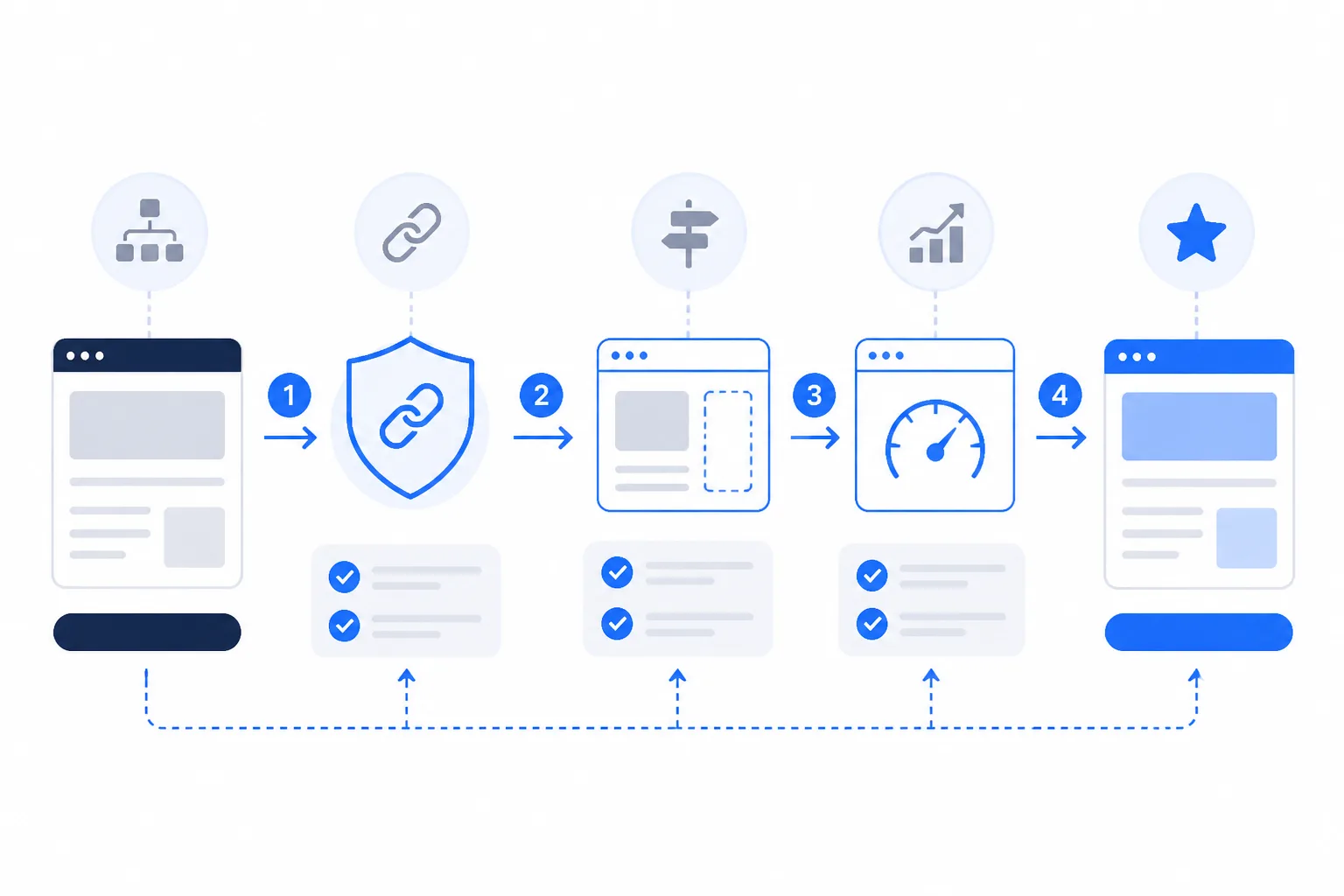
How to migrate a website without losing SEO
To migrate a website without losing SEO, preserve unchanged URLs, map every changed URL to one relevant destination, compare page signals, and test crawl access before launch. Your recovery sequence should restore the correct page first, then remove blocks, repair canonicals, and replace redirect chains with direct redirects.
Identity breaks when URLs and redirects lose their relationship
Identity breaks when your old URL returns a 404, has no redirect, or points to an unrelated page. If your old page is /services/wordpress-development/, a direct 301 to /wordpress-development/ preserves a clear relationship. A redirect to your homepage doesn't.
Before: /services/wordpress-development/ redirects through /services/ to the homepage.
After: /services/wordpress-development/ redirects directly to /wordpress-development/.
Before launch, preserve stable URLs where practical and test every mapped redirect. After launch, restore the closest relevant page, remove unnecessary hops, and retest priority URLs.
Relevance breaks when page signals are rewritten or dropped
Relevance breaks when your new template removes titles, headings, body copy, image alt text, structured data, or meaningful service details. Compare old and new pages before launch, then restore missing signals or rebuild the affected template during recovery.
Access breaks through noindex, robots, or crawl errors
Access breaks when your staging noindex directive or robots.txt restriction remains live. Crawl the production site before launch, verify indexability on priority pages, remove blocks after deployment, and request indexing again for pages that were suppressed.
Interpretation breaks through canonicals, links, and routing
Interpretation breaks when canonicals, internal links, HTTP-to-HTTPS rules, redirects, or infrastructure routing disagree. Before launch, test the preferred HTTPS URL and canonical together. During recovery, make them consistent and replace chains with one direct redirect.
| situation | better move | why |
|---|---|---|
| An old URL has a direct equivalent on the new site | Keep the URL unchanged where practical, or create one direct 301 redirect to the equivalent page | This preserves the clearest relationship between the old and new URL and helps transfer accumulated signals |
| A URL must change because the site structure or platform changes | Map the old URL to the closest relevant new page before launch | A precise destination preserves relevance better than sending visitors and crawlers to a generic homepage |
| A migrated page loses titles, headings, body copy, structured data, or image alt text | Compare the old and new page signals, then restore missing content or rebuild the relevant template | Search engines use page content and structured signals to interpret relevance |
| Staging noindex or robots.txt restrictions remain after launch | Remove production blocks, crawl the live site, and request indexing for priority pages | Search engines cannot reliably index pages they are instructed not to access or index |
| Redirects, canonicals, protocols, or infrastructure routing conflict | Replace chains with direct redirects and make the preferred HTTPS URL and canonical consistent | Conflicting interpretation signals can delay crawling and make the intended page unclear |
ShieldThemes can combine migration planning, technical SEO, custom development, and infrastructure review. Its senior team is one option among specialist agencies and internal hires, although a broader engagement may cost more than correcting one isolated routing or template error.
The Failure Patterns That Make a Migration Look Worse Than It Is
You may see traffic falling after launch and assume the redesign failed. Often, one narrow mistake is hiding the real cause: a location page now reaches the homepage, a category page is missing, or search engines still see a staging block.
Check the visible symptom first, then trace the URL, content, link, and infrastructure signals behind it. That order helps you recover the right page instead of masking the problem with broad redirects.
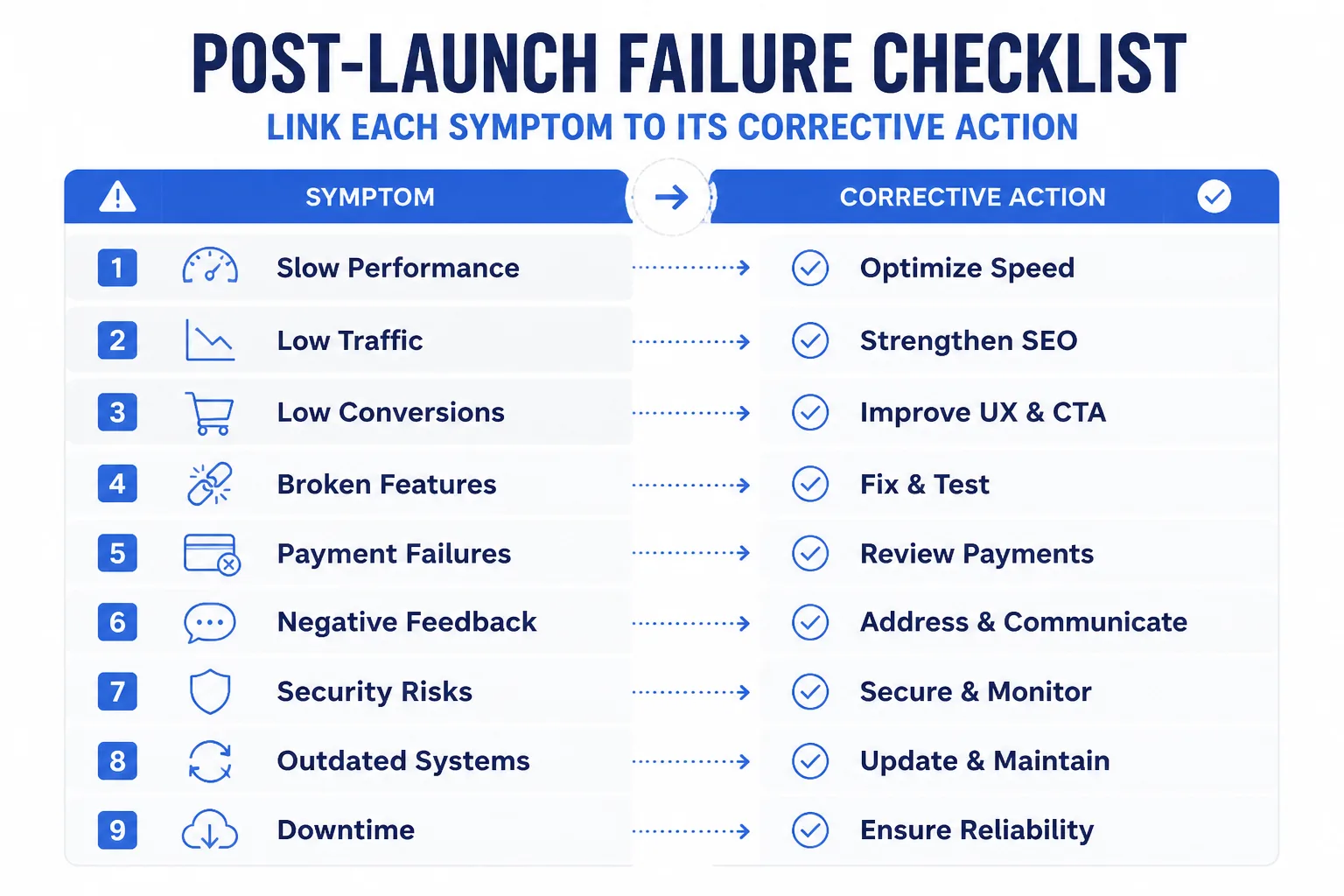
How do homepage redirects erase page relevance
- Symptom: Your retired service or product URLs all land on the homepage. Weak: “/chicago-roof-repair” redirects to “/”. Strong: “/chicago-roof-repair” redirects to your new Chicago roofing service page. Prevent this by mapping each old URL to its closest equivalent. Recover by restoring the omitted page when it still serves a user need, earns links, ranks for queries, or supports a clear business purpose.
What happens when redirects form chains or conflict
- Symptom: Your redirects pass visitors through several URLs, or HTTP, HTTPS, www, and trailing-slash rules disagree. Weak: A to B to C. Strong: A redirects directly to the final HTTPS URL. Check every important old URL with a crawl before launch, then replace chains with one-hop redirects and one consistent preferred URL.
What content and template omissions hurt after a rebuild
- Symptom: Your new page lacks the title, headings, body copy, alt text, structured data, internal links, or form that helped the old page perform. Check a sample from every template type before launch. Recover by restoring the missing content or page, not by redirecting a useful unavailable product category or location page to the homepage.
- Symptom: Your checkout-supporting links now lead to a 404 or an unrelated page. Check destination URLs in navigation, related products, and service-page calls to action. Replace each broken link with the live equivalent, then recrawl those paths.
What happens when staging directives survive the launch
- Symptom: Your live pages carry a noindex tag or remain blocked in robots.txt. Check response headers, rendered HTML, and robots.txt from the production domain. Weak: “X-Robots-Tag: noindex” remains on the live store. Strong: Production sends indexable pages without that header and permits required crawling. Remove the staging block, then request recrawling for priority URLs.
- Symptom: Your public URLs stayed unchanged, but crawling or rankings dropped after a hosting move. Don't treat infrastructure as SEO-neutral. Check routing, SSL termination, caching, HTTP enforcement, redirects, and headers. ShieldThemes can investigate code, hosting, redirects, and technical SEO together, although a full investigation costs more than fixing one isolated rule.
Triage in this order: crawlability, URL resolution, content parity, internal links, then infrastructure behavior. You'll isolate the failure faster when each check follows the symptom instead of the platform.
What Migration Loss Does Not Prove About SEO
A ranking drop after your migration doesn't show that SEO has stopped working. It shows that search engines may be missing or reinterpreting signals tied to particular URLs, while your customers still need to find services, products, local pages, and brand information.
SEO remains relevant in 2026
No, SEO isn't dead in 2026. You still depend on search visibility for qualified organic traffic, leads, sales, and discoverability. Search engines continue to evaluate individual URLs and the signals associated with them. If your service page falls after a migration because its content or URL relationship changed, that's a page-level signal problem, not proof that SEO no longer matters.
SEO isn't being phased out
No, SEO isn't being phased out, although your work may cover more than rankings alone. Search systems still need accessible pages, clear content, reliable URL relationships, and interpretable signals. If your old pricing page loses visibility after moving to a new URL, customers haven't stopped searching. Your site has made that information harder for search systems to connect with.
AI doesn't make SEO obsolete
No, SEO isn't dead with AI. AI-related search features still depend on pages that you make technically accessible, relevant, well structured, and understandable. A Shopify product page or startup software page may lose visibility after migration if its content becomes unclear or difficult to access. SEO may broaden across technical quality, useful content, structured information, and changing search experiences, while ShieldThemes helps you maintain those foundations.
Start With One URL Inventory Before You Touch the New Site
You need a starting point that separates real migration damage from normal ranking movement. Your strongest evidence sits in the pages that already attract searchers, links, and qualified customers.
Start with those pages, not a new sitemap or a developer's estimate. When you preserve evidence first, you give your SEO specialist, developer, and stakeholders one reference point for every decision that follows.
Benchmark the pages and signals worth protecting
- Benchmark organic visibility: Record your rankings, organic traffic, impressions, clicks, and top landing pages before anyone changes your site. You'll then know which pages deserve protection and which declines are genuinely new.
- Crawl the current site: Export every important URL with its title, meta description, headings, canonical tag, internal links, and other page signals. Your export becomes the baseline for content and technical checks.
Include every page that earns traffic, attracts links, ranks for a strategic query, supports a local service, or drives a product journey. Your first task today is to create that URL inventory, even if you begin with one spreadsheet and one high-value page.
Classify the break before choosing a fix
- Identify the signal break: Classify each risk as identity, relevance, access, or interpretation. You can then match the response to the evidence instead of rewriting content or changing code blindly.
- Map each destination: Assign every old URL one new destination, then prepare one-to-one redirects before launch. You want one direct hop, not a chain that passes through several outdated addresses.
Weak: Your old /pricing page redirects to the homepage, forcing visitors and search engines to guess.
Direct: Your old /pricing page redirects to /plans-and-pricing, where matching plans, headings, and conversion details remain available.
Add a content check beside each redirect. You should confirm that the new page answers the same intent, preserves essential information, and supports the same customer journey.
Test the migration and monitor the recovery path
- Test before launch: Crawl staging, validate redirects, check mobile layouts, compare page speed, verify HTTPS, and confirm that staging blocks will be removed. Your launch decision should follow tested evidence, not visual approval alone.
- Monitor at 30, 60, and 90 days: Compare indexing, crawl errors, old and new URL behavior, rankings, clicks, impressions, traffic, and landing pages at each mark. You'll see whether recovery is progressing or whether a specific signal still needs attention.
- Share the inventory with the recovery team: Keep the URL inventory available to ShieldThemes and your internal team as they handle technical SEO, custom development, hosting, DevOps, and recovery work.
Evidence should decide the next change. A migration becomes recoverable when your team can trace each important URL from its old identity to its new destination.
If you want a faster way to turn migration evidence into a recovery plan, ShieldThemes builds and maintains WordPress and Shopify sites, custom software, hosting, DevOps, and technical SEO for startups, small businesses, and e-commerce brands. You can find practical guidance in the migration and SEO guides.